

- About us
-
Services
- Back
- Development Services
-

-
-
-
- Designing Services
-
-
-
-
- Marketing Services
-
-
-
-
- Cloud Engineering Services
-
-
-
- ERP
-
-
-
- CRM
-
-
-
- Artificial Intelligence
-

-
-
-
- MVP
-
- Industry
- Portfolio
- Career
- Contact us
-
 info[at]startdesigns.com















Introduction
WordPress powers over 40% of the websites on the internet in 2025, making it the world’s most popular Content Management System (CMS). Its flexibility and ease of use make it ideal for beginners and developers alike.
This guide is for you if you are:
- Just starting your web development journey
- Looking to build your first WordPress site
- Interested in understanding both front-end and back-end WordPress development
Here’s what you’ll get in this guide:
- Setting up WordPress on different hosting environments
- Choosing themes, plugins, and customization
- Coding essentials and advanced development techniques
- Pricing and cost breakdowns for 2025
- Best practices to stay secure, fast, and SEO-friendly
Journey Starts Here!
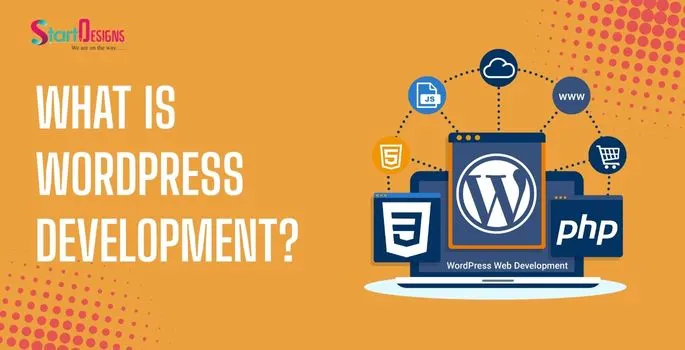
What is WordPress Development?
WordPress development involves creating, managing, and customizing websites using the WordPress platform.
Key Concepts:
- WordPress.org vs WordPress.com: WordPress.org is self-hosted and fully customizable. WordPress.com is hosted, beginner-friendly, but limited.
- Front-end vs Back-end: Front-end = what your visitors see; Back-end = the server-side operations, database, and coding logic.
- Benefits: Easy to learn, scalable, huge community support, and open-source freedom.
Mini FAQ:
- Is WordPress suitable for beginners?
- Yes! Free themes and plugins allow beginners to start without coding.
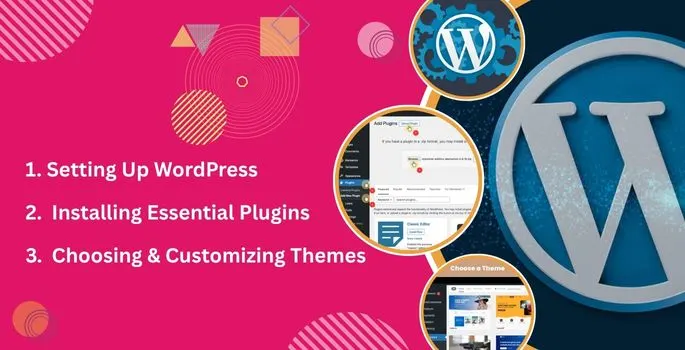
Step 1: Setting Up WordPress
Choose Hosting & Domain:
- Shared Hosting: $3–$10/month – budget-friendly, suitable for small sites
- Managed Hosting: $30–$100/month – smooth setup, less technical hassle
- Cloud Hosting: Scalable for large projects
Install WordPress:
- One-Click Installation: Most hosts provide easy setup options
- Manual Installation: Download WordPress, configure the database, and upload files
Dashboard Overview:
- Access via username & password
- Sections: Posts, Pages, Appearance, Plugins, Users, Settings
Pro Tip: Enable SSL and two-factor authentication from day one for better security.
Step 2: Choosing & Customizing Themes
Free vs Premium Themes:
- Free Themes: Astra, OceanWP
- Premium Themes: Divi, Avada
Customization Tips:
- Change fonts, colors, headers, and footers
- Ensure mobile responsiveness
- Add widgets for navigation and extra functionality
Mini FAQ:
- Can I start with a free theme?
- Yes, perfect for learning and building your first website.
Step 3: Installing Essential Plugins
Recommended Plugins for 2025:
- SEO: Yoast SEO, Rank Math
- Security: Wordfence, iThemes Security
- Performance: W3 Total Cache, LiteSpeed Cache
- Backup: UpdraftPlus
Pro Tips:
- Avoid plugin overload to prevent conflicts
- Keep all plugins updated regularly
Step 4: WordPress Development Basics
Core Technologies:
- PHP: Server-side scripting, the backbone of WordPress
- HTML & CSS: Structure & design of pages
- JavaScript: Adds interactivity to your website
Child Themes: Safely customize without affecting the parent theme
Hooks & Filters: Add or modify functionality without editing core files
Mini FAQ:
- Do I need coding to start?
- Not for beginners using themes/plugins; coding helps for advanced customization.
Step 5: Building Your First Website
Step-by-Step:
- Create Pages: Home, About, Contact
- Set Navigation Menus
- Upload Images, Videos, and other media
- Add Widgets
- Optimize speed and mobile responsiveness
Checklist:
- Domain
- Hosting
- Theme
- Plugins
- Pages
Pro Tip: Preview your site on multiple devices before publishing.
Step 6: Advanced Development
Page Builders vs Custom Coding:
- Elementor, Gutenberg = drag-and-drop, no-code friendly
- Custom themes = full coding control
Plugin Development:
- Start small: custom snippets for functionality
- Advanced: develop full-featured plugins using PHP & WordPress API
Theme Development:
- Plan the design & functionality
- Create style.css, template files, and custom functions
- Test, deploy, and maintain regularly
Backend Development:
- Custom features for admin-only operations
- API integrations & server-side enhancements
- Strong PHP & MySQL knowledge required
Pricing of WordPress Development in 2025
| Component | Cost Range (USD) |
|---|---|
| Domain | $10–$20/year |
| Hosting | $3–$30/month (shared) |
| Themes | Free – $100 (premium) |
| Plugins | Free – $200/year |
| Developer/Agency | $500 – $2,000+ |
DIY vs Hiring:
- DIY Basic Site: $100–$300
- Small Business Site: $500–$1,500
- Custom Development: $2,000+
Best Practices in 2025
Security: SSL, 2FA, regular updates, security plugins
Performance: Optimize images, caching, CDN, minify CSS/JS
SEO: SEO-friendly permalinks, meta titles, schema markup, internal linking
Accessibility & UX: Proper heading hierarchy, readable fonts, alt text, mobile-first design
Tools & Resources
- Local Development: LocalWP, XAMPP
- IDEs: VS Code, PhpStorm
- Learning Resources: WordPress.org, WPBeginner, WPCrafter
- Communities: Reddit r/WordPress, StackOverflow
Common Beginner Mistakes
- Installing too many plugins
- Ignoring updates and backups
- Skipping SEO optimizations
- Ignoring mobile responsiveness
Pro Tip: Maintain a checklist for updates, backups, and optimizations.
Conclusion
WordPress development in 2025 is flexible, beginner-friendly, and cost-effective.
Action Steps:
- Choose hosting & install WordPress
- Pick a theme & customize
- Install essential plugins
- Follow best practices for security, SEO, and performance
“Ready to launch your WordPress site? Get your Free 2025 WordPress Beginner Checklist and let our experts handle the setup, customization, and optimization for you!”
About the author



Popular Posts
The Best 3PL, Logistics & Supply Chain Website Design Examples in UAE (2026 Guide)
March 12, 2026- 17 Min Read


20 Best Ecommerce Website Design Examples for Inspiration (2026)
March 6, 2026- 9 Min Read



