

- About us
-
Services
- Back
- Development Services
-

-
-
-
- Designing Services
-
-
-
-
- Marketing Services
-
-
-
-
- Cloud Engineering Services
-
-
-
- ERP
-
-
-
- CRM
-
-
-
- Artificial Intelligence
-

-
-
-
- MVP
-
- Industry
- Portfolio
- Career
- Contact us
-
 info[at]startdesigns.com















#1. Introduction: What is WordPress?
WordPress is the world’s most popular content management system (CMS), powering over 43% of websites online. But why has it become the go-to platform for beginners and businesses alike?
At its core, WordPress is a software that allows anyone to build a website without requiring advanced coding skills. From personal blogs to complex eCommerce stores, WordPress provides flexibility, scalability, and simplicity.
Looking to create a professional landing page for your business? Explore our landing page design services to get started with expert guidance.
Want a professional WordPress website like this?
Hire Our WordPress Experts#2. Types of Websites You Can Build with WordPress
WordPress isn’t just for blogging—it’s a full-fledged website creation platform. Here are some of the most common types of websites:
2.1 Business Websites
Showcase your company, portfolio, and services. Examples include corporate websites, startups, agencies, and service providers.
For professional business websites, check out our WordPress development services.

2.2 Blogs
Whether personal, professional, or niche-focused, blogs are easy to create and manage.
- Tip: Use categories, tags, and a content calendar to organize posts.
2.3 eCommerce Stores
Sell physical or digital products online using plugins like WooCommerce.
- Example: Small businesses selling CBD products or handmade crafts.
Need a store designed for conversions? Explore our CBD web design services.
2.4 Membership Sites & Online Communities
Offer exclusive content or courses to members with plugins like MemberPress or BuddyPress.
2.5 Portfolios & Resumes
Showcase your work visually with themes designed for portfolios, photography, or creative professionals.
2.6 Forums & Social Networks
Plugins like bbPress let you create discussion forums, while BuddyPress can power social networks for niche communities.
#3. WordPress.org vs WordPress.com
Many beginners get confused between the two:
| Feature | WordPress.org | WordPress.com |
|---|---|---|
| Hosting | Self-hosted | Hosted |
| Control | Full control | Limited |
| Flexibility | Full plugin & theme support | Limited |
| Cost | Hosting + optional premium plugins | Free plan available, premium required for advanced features |
Recommendation: For business websites, self-hosted WordPress.org is the preferred choice.
You can hire WordPress developers to handle setup and customization professionally.
#4. The History of WordPress
WordPress was launched in 2003 by Matt Mullenweg and Mike Little as a blogging platform. Over the years, it evolved into a versatile CMS supported by a massive community of developers and contributors.
Its growth is driven by:
- Open-source philosophy
- Large ecosystem of plugins and themes
- Strong community support
#5. Who Uses WordPress?
WordPress is trusted by individuals, small businesses, and large organizations alike:
- Whitehouse.gov – Official government website.
- Microsoft Blogs – Product and corporate blogs.
- The Rolling Stones – Band’s official website.
If these organizations rely on WordPress, it proves the platform’s reliability, scalability, and flexibility.
#6. Benefits of Using WordPress
6.1 Free and Open Source
No need to pay for the software itself. Only hosting and optional premium themes/plugins cost extra.
6.2 Highly Flexible
- Thousands of free and premium themes for customization
- Over 50,000 plugins to extend functionality
- Suitable for any website type
6.3 Easy Installation
- One-click installation via hosts like Kinsta or Bluehost
- Tools like DevKinsta allow local development
6.4 SEO-Friendly
WordPress is built to work well with search engines. Plugins like Yoast SEO and RankMath help optimize content, meta tags, sitemaps, and more.
6.5 Extensive Community Support
From tutorials, forums, Facebook groups to professional developers, help is always available.
Need professional assistance? Hire our WordPress developers to get your website live quickly.
#7. Step-by-Step Guide: How to Get Started with WordPress
- Choose a Domain Name – Make it memorable and relevant to your business.
- Select Hosting – Consider reliable hosts with WordPress support.
- Install WordPress – Use one-click installers or DevKinsta for local setup.
- Pick a Theme – Choose a responsive, professional theme.
- Install Essential Plugins – For SEO, security, and performance.
- Create Pages – About, Services, Contact, Blog.
- Customize & Publish – Add your content, images, and optimize for mobile.
Our WordPress development services can handle this entire process for you.
#8. Examples & Case Studies
8.1 Landing Page Example
A business can convert visitors to leads using a clear landing page.
- Optimized headlines, call-to-actions, testimonials, and visuals increase conversion.
Learn more about our landing page design services.
8.2 Niche Business Websites
- Example: CBD business sites require compliance, speed, and secure payment integration.
Check our CBD web design services.
8.3 Custom Development
- Need advanced functionality? Custom WordPress plugins or theme tweaks may be required.
Hire our WordPress experts for tailored solutions.
#9. Advanced Tips for WordPress Beginners
- Optimize for Speed – Use caching plugins, compress images, choose fast hosting.
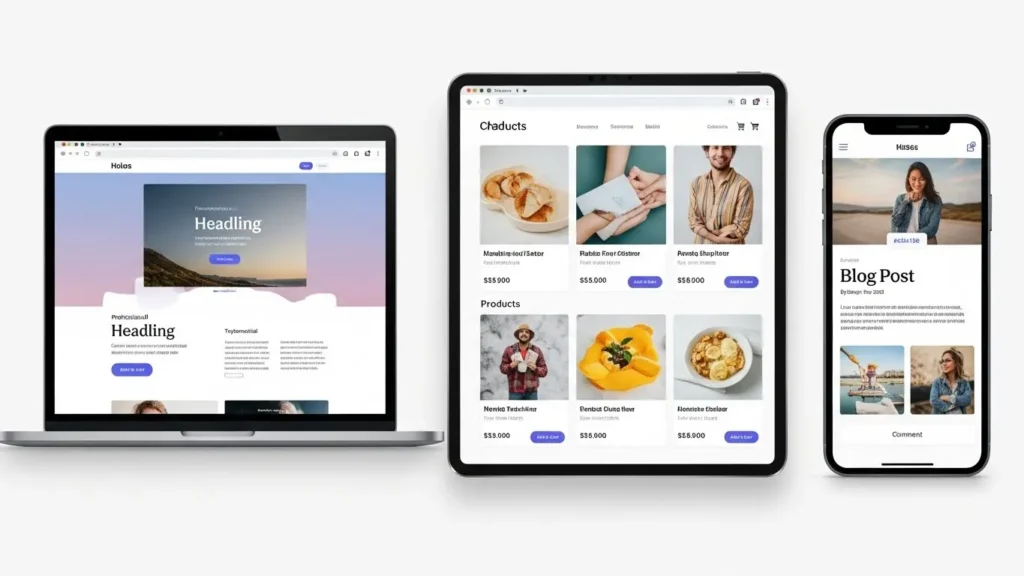
- Mobile Responsiveness – Ensure the site works on all devices.
- Secure Your Website – SSL, security plugins, and regular updates.
- SEO Best Practices – Use keywords naturally, meta tags, internal linking.
- Regular Backups – Protect your site from accidental loss.
#10. Frequently Asked Questions (FAQs)
Q1: Can beginners use WordPress without coding?
A: Yes, with page builders like Elementor or Gutenberg, no coding is needed.
Q2: What is the difference between WordPress.com and WordPress.org?
A: WordPress.org is self-hosted with full control; WordPress.com is hosted with limited flexibility.
Q3: Can I build an eCommerce store with WordPress?
A: Absolutely. WooCommerce and other plugins make it seamless.
Q4: How do I hire a reliable WordPress developer?
A: Check portfolios, reviews, and consider hiring our expert WordPress developers.
Q5: How long does it take to design a landing page?
A: 3–10 days depending on complexity. See our landing page design services.
Q6: Which hosting is best for WordPress?
- Choose a host optimized for WordPress with strong uptime and speed.
Q7: How can I secure my WordPress site?
- Use SSL, security plugins, strong passwords, and backups.
#11. Conclusion
WordPress is the ideal choice for beginners and businesses looking for flexible, reliable, and scalable websites. Whether it’s a blog, eCommerce store, or professional landing page, WordPress provides all the tools to succeed online.
Ready to launch your website? Contact our WordPress development team today and get a fully optimized, professional website live in no time.
About the author

Popular Posts

25 Real Minimum Viable Product Examples (With Strategy, Revenue & Lessons)
February 11, 2026- 7 Min Read
Top MVP Development Companies in the USA (2026) – Comparison, Cost & Selection Guide
February 5, 2026- 7 Min Read
MVP Development: What It Is, Process, Examples, Benefits & Cost
January 27, 2026- 6 Min Read



