


- About us
-
Services
- Back
- Development Services
-

-
-
-
- Designing Services
-
-
-
-
- Marketing Services
-
-
-
-
- Cloud Engineering Services
-
-
-
- ERP
-
-
-
- CRM
-
-
-
- Artificial Intelligence
-

-
-
-
- MVP
-
- Open Source Business
-
- Industry
- Portfolio
- Career
- Contact us
-
 info[at]startdesigns.com













Choosing between Framer and Webflow can be confusing for startups because both platforms can help you build modern websites without a traditional development setup. The right choice depends on your stage, website goal, content needs, team skills, budget, and launch timeline.
An early-stage startup may only need a landing page, waitlist form, product teaser, or investor-ready website. A growing SaaS startup may need feature pages, comparison pages, blog templates, integration pages, case studies, and a stronger SEO content system.
So the answer is not simply “Framer is better” or “Webflow is better.” For startups, the better platform depends on what your website needs to do right now and what it may need to support over the next 6 to 12 months.
Quick Answer for Startups
Framer is usually better for startups that need a fast, visually polished landing page, MVP website, waitlist page, product launch page, or early SaaS marketing website. It is a strong choice when speed, design flexibility, simple editing, and quick launch matter most.
Webflow is usually better for startups planning a larger content-driven marketing site, advanced CMS structure, long-term SEO program, multiple page templates, or more complex website architecture.
In simple terms, choose Framer when you need to launch and test fast. Choose Webflow when your website is becoming a larger marketing and content system.
For a broader platform-by-platform comparison, read our Framer vs Webflow Guide.
Which Platform Fits Your Startup Stage?
The best platform choice changes as your startup grows. A pre-launch startup does not have the same website needs as a seed-stage SaaS company with content, comparison pages, and product marketing campaigns.
| Startup Stage | Better Choice | Why |
|---|---|---|
| Idea validation | Framer | Fast landing page, simple messaging tests, quick launch |
| MVP launch | Framer | Strong visual storytelling and faster design-to-publish workflow |
| Pre-seed website | Framer | Good for brand presentation, waitlists, and product teasers |
| Seed-stage SaaS | Depends | Framer for speed, Webflow for deeper content structure |
| Content-led startup | Webflow | Better fit for large blogs, templates, and SEO content systems |
| Multi-product startup | Webflow | Better suited for complex marketing site architecture |
This does not mean one platform is always better than the other. It means your startup stage should guide the decision.
Best Platform for Startup Landing Pages
For startup landing pages, Framer is often the better choice because landing pages usually need speed, strong visuals, simple structure, and fast iteration.
A startup landing page may include:
- Hero section with clear positioning
- Product screenshots or demo visuals
- Waitlist or early access form
- Founder story
- Problem and solution section
- Benefits and use cases
- Social proof or investor logos
- Pricing teaser or launch offer
- FAQ section
- CTA for demo, sign-up, or waitlist
Framer works well here because startups can move from idea to live page quickly. Designers can create polished pages, add interactions, test messaging, and update content without waiting through a long development cycle.
Webflow can also build excellent landing pages, but it may feel more powerful than necessary for a simple startup launch page. If the site is only one to five pages and the main goal is validation, Framer is usually easier to move with.
Landing Page Verdict
Choose Framer if your startup needs a fast, modern, and conversion-focused landing page.
Choose Webflow if your landing page is part of a larger website system with many CMS-driven pages, templates, and content workflows.
Which Platform Works Better for MVP Launches?
For MVP launches, the website usually has one main job: explain the product clearly and get people to take action.
That action may be:
- Join a waitlist
- Request early access
- Book a demo
- Sign up for updates
- Try a beta version
- Contact the founding team
- Understand the product idea
Framer is a strong fit for MVP launches because the website can stay lean. You can create a homepage, product section, early feature blocks, waitlist form, FAQ, and founder note without building a full marketing system.
Webflow becomes more useful when the MVP website starts turning into a long-term marketing site. If you already know you will need many pages, content templates, blog categories, resource sections, and SEO landing pages, Webflow may be a better long-term choice.
MVP Launch Verdict
Use Framer when you are testing positioning, validating demand, or launching quickly.
Use Webflow when the MVP site is already planned as a scalable marketing website.
Which Platform Works Better for SaaS Startups?
SaaS startups need a website that explains the product, builds trust, and turns visitors into users, demo requests, or qualified leads.
For an early SaaS startup, Framer can be enough. You can build a homepage, feature sections, pricing page, demo CTA, product visuals, testimonials, and a few landing pages.
Framer is a good fit if you need:
- A polished SaaS homepage
- Product launch page
- Pricing page
- Demo request page
- Feature overview pages
- Waitlist or beta access page
- Simple blog or resource section
- Fast updates from a small team
Webflow becomes stronger when the SaaS website needs more scale. A growing SaaS company may need comparison pages, integration pages, use case pages, glossary pages, resource hubs, case studies, and multiple CMS templates.
Webflow is a good fit if you need:
- Large blog structure
- Use case pages
- Comparison pages
- Integration pages
- Customer story templates
- Resource library
- Multi-author content workflow
- More advanced CMS planning
SaaS Verdict
Framer is strong for early SaaS websites that need speed and design polish.
Webflow is stronger when the SaaS site becomes a serious content and SEO growth engine.
CMS and SEO Content: When Webflow Becomes Stronger
Many startups do not need a complex CMS on day one. A simple landing page, homepage, pricing page, and a few campaign pages may be enough at the beginning.
Framer can work well for simple CMS needs such as blogs, case studies, portfolio projects, resources, or landing pages. For early-stage startups, that may be more than enough.
Webflow becomes stronger when content is a major growth channel. If your startup is planning to publish many SEO pages, comparison pages, industry pages, integration pages, product updates, and case studies, Webflow’s CMS structure may be easier to scale.
Choose Framer if:
- Your CMS needs are simple
- You need a few blog or resource pages
- Your team wants fast visual editing
- You are still testing messaging
- You do not have a large SEO content plan yet
Choose Webflow if:
- Content marketing is a core growth strategy
- You need many CMS templates
- You plan to create large resource hubs
- You need more structured content types
- Your marketing team will publish often
For startups, the key question is not “Which CMS is better?” The better question is: how much content structure do you actually need right now?
Budget, Team Skills, and Launch Speed
Startups usually care about three things: budget, speed, and who can manage the website after launch.
Cost is not only the platform subscription. It also includes design time, setup effort, CMS complexity, maintenance, revisions, and how easily the team can make updates after launch. A cheaper tool can become expensive if the team needs constant developer help for small changes.
Framer is often easier for design-led teams, founders, and lean marketing teams that want to move quickly. It can reduce the gap between design and publishing, especially for smaller websites.
Webflow is powerful, but it may need more setup discipline when the website structure becomes larger. It can be a better long-term fit for startups with content teams, growth teams, and more complex marketing needs.
Think about these questions before choosing:
- Who will update the website after launch?
- Do you have a designer, marketer, or developer managing it?
- Will you publish content every week?
- Do you need only a landing page or a full marketing site?
- Will the website need many dynamic templates?
- Is launch speed more important than long-term CMS scale?
If your team is small and you need to launch fast, Framer is usually simpler. If your startup is preparing for a larger content system, Webflow may be more practical.
Startup Decision Framework: Choose Framer or Webflow?
Use this simple framework before making the final decision.
Choose Framer if:
- You need to launch fast
- You want a visually sharp landing page
- You are testing startup positioning
- You need an MVP or waitlist page
- Your website has limited content needs
- Your design team wants more visual control
- You need quick landing page iterations
- You want a clean startup website without heavy setup
Choose Webflow if:
- Your startup is investing in SEO content
- You need many dynamic pages
- Your site structure will grow quickly
- You need multiple templates and content types
- Your marketing team will publish often
- You need a more advanced CMS structure
- Your team already has Webflow experience
Choose Either if:
- You need a modern marketing website
- You have a clear page structure
- You understand your content goals
- You are willing to test and improve after launch
Both tools can work well. The wrong choice usually happens when a startup chooses based only on design preference and ignores the website’s growth plan.
Can Startups Start With Framer and Move to Webflow Later?
Yes, many startups can start with Framer and move to Webflow later if their website needs become more complex. This can be a practical path for early-stage teams.
For example, a startup may begin with a Framer landing page to validate demand. Later, when the team needs a larger blog, comparison pages, integration pages, and structured content workflows, it may move to Webflow or another CMS-heavy setup.
If you may migrate later, plan carefully from the beginning.
Before launch, keep these points in mind:
- Use clean URLs
- Keep page names simple
- Avoid unnecessary page duplication
- Document page structure
- Keep copy organized
- Plan redirects if URLs change
- Track important landing pages
- Avoid messy shortcuts that create SEO problems later
If your startup already gets organic traffic, migration should be handled carefully. Redirect planning, metadata review, internal links, and content mapping become important.
Common Startup Website Mistakes to Avoid
The platform matters, but the bigger problem is often poor website planning. A startup can build a weak website in either Framer or Webflow if the structure is unclear.
Starting With Design Before Messaging
A beautiful website will not help if visitors cannot understand what the product does. Start with positioning, audience, problem, solution, and CTA before polishing visuals.
Building Too Many Pages Too Early
Early startups often do not need a huge website. A focused homepage, clear CTA, and a few supporting sections may work better than a large site with weak content.
Ignoring Mobile Experience
Startup visitors may come from social, email, ads, investor links, or communities. Many will open the site on mobile. Check spacing, font size, forms, and CTA visibility.
Adding CMS Before You Need It
CMS is useful, but not every startup needs a large CMS at launch. Add structure when there is a real content plan.
Forgetting Analytics and Forms
Every waitlist form, demo CTA, contact form, and signup link should be tested before launch. If tracking is broken, you cannot judge whether the website is working.
Need Help Building a Startup Website in Framer?
For startups that choose Framer for faster launch and modern design, our Framer website development for startups can help with landing pages, SaaS websites, CMS setup, Figma to Framer conversion, and launch support.
StartDesigns can help you plan, design, develop, test, and launch a Framer website that fits your current startup stage without overcomplicating the build.
We can help with:
- Startup landing pages
- MVP launch websites
- SaaS marketing websites
- Waitlist pages
- Figma to Framer conversion
- Framer CMS setup
- Responsive Framer development
- Analytics and form setup
- Launch support
FAQs for Startup Teams Choosing Framer or Webflow
Is Framer or Webflow better for startups?
Framer is often better for early-stage startups that need fast landing pages, MVP websites, waitlist pages, and polished visual presentation. Webflow is often better for startups that need larger CMS structure, content marketing, and more scalable website architecture.
Is Framer good for startup landing pages?
Yes, Framer is good for startup landing pages because it supports fast visual design, responsive layouts, animations, forms, and quick content updates. It works well for waitlists, MVP pages, product teasers, and early SaaS launches.
Is Webflow better for SaaS websites?
Webflow can be better for SaaS websites that need large content systems, blogs, comparison pages, integration pages, use case pages, and multiple CMS templates. For early SaaS websites, Framer may still be enough if the site is smaller and design-led.
Should an early-stage startup use Framer?
An early-stage startup should consider Framer if the main goal is to launch quickly, test messaging, collect leads, and present the product clearly. It is especially useful for lean teams that do not need a complex website structure yet.
Can startups use Framer for SEO?
Yes, startups can use Framer for SEO when the website is built with clear titles, meta descriptions, clean headings, optimized images, internal links, fast performance, and useful content. SEO results depend on content quality, structure, links, and ongoing optimization.
Can I move from Framer to Webflow later?
Yes, you can move from Framer to Webflow later if your startup needs a larger CMS, deeper content structure, or more advanced website architecture. If the website has indexed pages or organic traffic, plan redirects and content mapping carefully before migration.
Final Verdict for Startup Websites
Choose Framer if your startup needs a fast, polished, design-led website for landing pages, MVP validation, waitlists, product launches, or early SaaS marketing.
Choose Webflow if your startup is building a larger content-driven marketing website with many CMS pages, templates, comparison pages, integration pages, and long-term SEO content needs.
For many startups, the smart path is simple: start with the platform that fits the current stage, but plan the website structure in a way that does not create problems later.
If speed, visual quality, and fast iteration matter most right now, Framer is usually the stronger choice. If content scale, CMS depth, and long-term website architecture matter more, Webflow may be the better platform.
About the author



Popular Posts
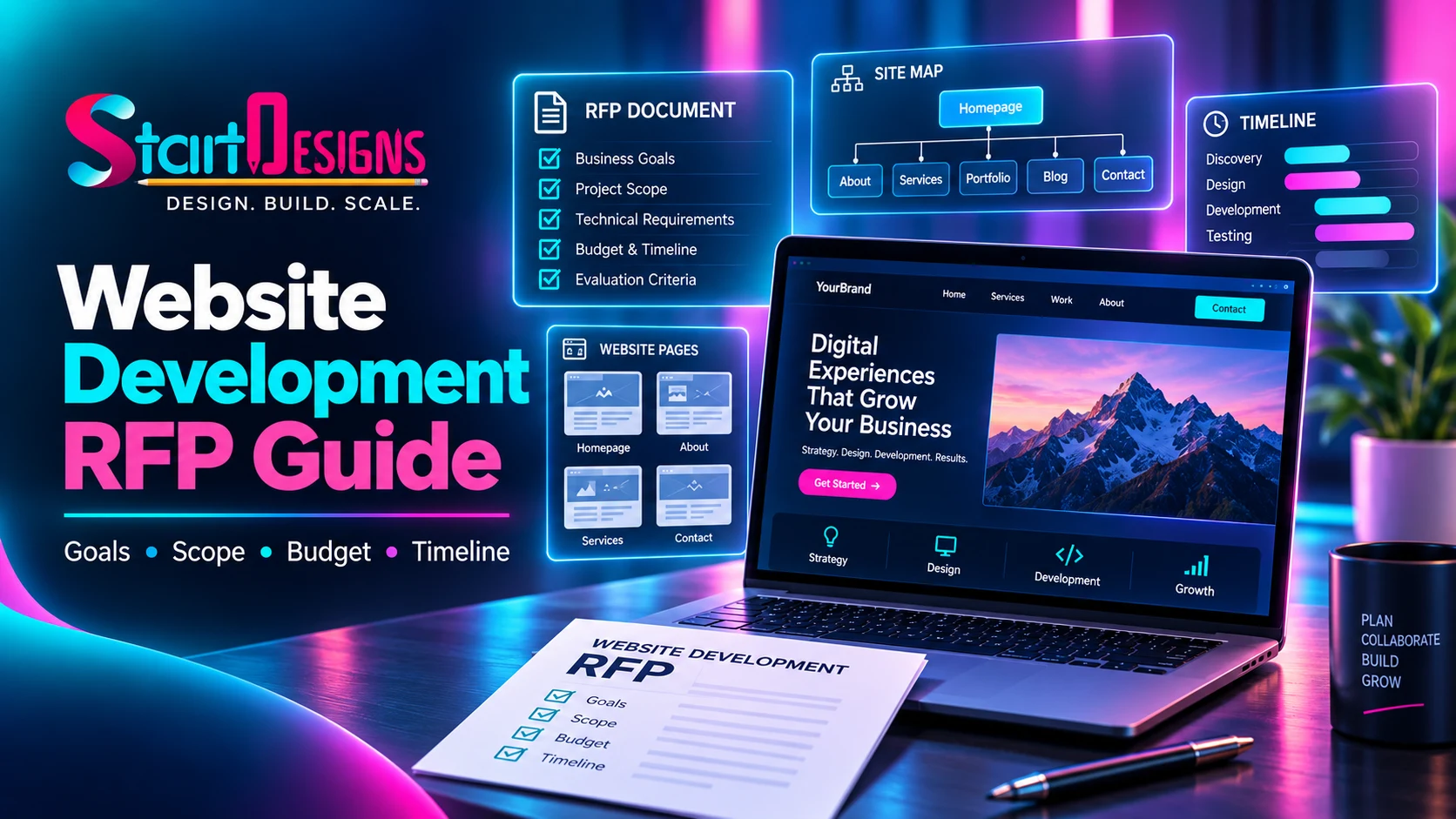
How to Write a Website Development RFP: Complete Guide & Checklist
September 19, 2026- 14 Min Read