

- About us
-
Services
- Back
- Development Services
-

-
-
-
- Designing Services
-
-
-
-
- Marketing Services
-
-
-
-
- Cloud Engineering Services
-
-
-
- ERP
-
-
-
- CRM
-
-
-
- Artificial Intelligence
-

-
-
-
- MVP
-
- Open Source Business
-
- Industry
- Portfolio
- Career
- Contact us
-
 info[at]startdesigns.com















Webflow is a visual website builder and content management system used to design, develop, manage and publish responsive websites. It brings layout controls, reusable components, CMS Collections, interactions, website settings and managed publishing into one platform.
Unlike basic template-led builders, Webflow gives designers and developers greater control over page structure, responsive behaviour and content architecture. However, a professional Webflow website still requires strategy, an organised class system, CMS planning, mobile testing and launch quality assurance.
Webflow development is the process of turning that strategy, design and content model into a structured website that can be maintained after launch.
This guide explains how Webflow works, what it can build, how its CMS and SEO capabilities function, what affects its cost, where its limitations begin and when professional development support may be useful.
Webflow at a Glance
| Factor | Details |
|---|---|
| Best for | SaaS, B2B, marketing, professional-service and CMS-driven websites |
| Main strength | Custom visual control combined with structured website development |
| CMS support | Articles, resources, case studies, teams, locations and other dynamic content |
| SEO support | Metadata, URLs, redirects, canonicals, sitemap and indexing controls |
| Design capabilities | Responsive layouts, reusable components and visual interactions |
| Best users | Designers, marketers, startups, SaaS teams, agencies and content teams |
| Less suitable for | Complex web applications, advanced dashboards and operations-heavy ecommerce |
| Expert help may be useful for | Custom design, CMS architecture, migration, integrations and advanced interactions |
Webflow is particularly useful when a business needs more design and content control than a basic website builder provides but does not want to manage a traditional theme-and-plugin-heavy setup.
It works well for custom marketing websites, resource hubs and content-led brands. Businesses with complex application logic, advanced customer accounts or large ecommerce operations may require external systems, custom development or a different platform.
What Is Webflow and What Is Webflow Development?
Webflow is a visual development platform that combines website design, responsive development, content management, hosting and publishing.
Its visual interface allows teams to work with familiar front-end concepts such as:
- Containers and sections
- Flex and grid layouts
- Classes
- Spacing and positioning
- Reusable components
- Responsive breakpoints
The platform turns visual layout decisions into the structure used by the published website. This means teams can create custom interfaces without manually writing every line of front-end code.
Webflow also includes a CMS for structured, repeatable content. Content is organised into Collections, with individual records stored as Collection items and displayed through reusable layouts. (Webflow Help Center)
What Does Webflow Development Include?
Webflow development may include:
- Planning the sitemap and page hierarchy
- Building responsive layouts
- Creating reusable classes and components
- Configuring CMS Collections
- Developing Collection Page templates
- Setting up forms and interactions
- Connecting third-party tools
- Configuring metadata and redirects
- Testing the website before launch
- Training content editors
A website can look polished on one screen and still be difficult to maintain if its class structure, CMS relationships and responsive rules are poorly organised.
Is Webflow No-Code or Low-Code?
Webflow is commonly described as a no-code platform because many standard websites can be created visually without manually writing HTML, CSS or JavaScript.
However, visual development platform is a more accurate description.
A standard marketing website may be built almost entirely with Webflow’s native capabilities. More advanced requirements may still need custom code, APIs or third-party systems.
Examples include:
- Advanced filters
- Custom calculators
- External databases
- Complex lead routing
- Membership functionality
- Booking workflows
- CRM integrations
- Application-style interactions
Webflow makes website production more visual. It does not remove the need for planning, technical decisions or quality assurance.
How Does Webflow Work?
A dependable Webflow website is usually created through a structured process rather than by immediately adding sections to an empty page.
1. Plan the Website Structure
The first stage defines the website’s business purpose, audience, sitemap and main conversion journeys.
This determines:
- Which pages are required
- How visitors will navigate the website
- Which content should remain static
- Which content belongs in the CMS
- Which integrations are required
- Where calls to action should appear
- Whether existing URLs need to be preserved
Planning the architecture first reduces duplicated pages and expensive CMS restructuring later.
2. Create the Design System
The next stage establishes reusable visual and structural rules.
A Webflow design system may include:
- Typography
- Colours
- Spacing
- Buttons
- Forms
- Cards
- Navigation
- Section layouts
- Reusable components
A shared system makes the website feel consistent and simplifies future updates.
3. Build Responsive Layouts
The layouts are then developed for desktop, tablet and mobile behaviour.
Responsive development includes decisions around:
- Navigation changes
- Column stacking
- Content order
- Image behaviour
- Font sizing
- Spacing
- Tables and forms
- Interaction behaviour
Responsive quality requires testing across several screen widths. A layout that works at one desktop width and one mobile width may still break at intermediate sizes.
4. Configure the CMS
Repeatable content is organised into CMS Collections.
Common content types include:
- Articles
- Authors
- Services
- Industries
- Case studies
- Team members
- Events
- Locations
- Tours
- Resources
Each Collection uses a defined field structure. Its items can then be displayed through shared templates and dynamic lists. (Webflow Help Center)
5. Add Forms, Interactions and Integrations
Forms and interactions are normally added after the website structure is stable.
These may include:
- Contact forms
- Demo requests
- Newsletter sign-ups
- Booking enquiries
- Hover effects
- Scroll animations
- CRM connections
- Analytics
- Marketing automation
Motion should improve hierarchy, feedback or storytelling. It should not delay important content or make navigation unpredictable.
6. Configure SEO and Tracking
Before launch, teams should review:
- Page titles
- Meta descriptions
- Heading structure
- URLs
- Image alt text
- Redirects
- Canonicals
- Sitemap settings
- Indexing controls
- Analytics
- Conversion tracking
Webflow provides implementation controls, but it does not replace keyword research, content strategy or a technical SEO review.
7. Test and Publish
Before publishing, test:
- Navigation
- Links and buttons
- Mobile layouts
- CMS templates
- Forms and notifications
- Integrations
- Animations
- Redirects
- Metadata
- Analytics
- Browser behaviour
Important pages and conversion actions should be checked again after the website is published on the live domain.
Key Webflow Features and Their Practical Use
Webflow’s features are most valuable when they are planned around the website’s content structure, publishing workflow and business objectives.
| Feature | Practical Use | Main Consideration |
|---|---|---|
| Visual Designer | Build custom responsive layouts visually | Still requires layout and responsive-design knowledge |
| Reusable Classes | Maintain consistent typography, spacing and layouts | Poor naming makes future maintenance difficult |
| Components | Reuse navigation, CTAs, cards and other sections | Shared changes should be tested across the website |
| Webflow CMS | Manage repeatable, structured content | Content relationships should be planned before development |
| Interactions | Add visual feedback and storytelling | Excessive animation can reduce clarity and performance |
| Forms | Capture enquiries, registrations and subscriptions | Advanced routing may require external tools |
| SEO Controls | Manage metadata, URLs and technical settings | Platform controls do not replace an SEO strategy |
| Hosting | Publish through managed infrastructure | Plan limits must match traffic and content needs |
| Custom Code | Extend native functionality | Requires documentation and maintenance ownership |
| Collaboration | Support designers, developers and editors | Publishing responsibilities should be defined |
Visual Designer
Webflow’s visual Designer offers more structural control than many template-led website builders.
Teams can define custom grids, spacing systems, responsive layouts and visual interactions without being restricted to a fixed collection of content blocks.
That freedom should be supported by consistent rules for:
- Content width
- Section spacing
- Typography
- Buttons
- Image ratios
- Grid behaviour
- Responsive breakpoints
The goal is not to make every page different. It is to create one connected website system.
Reusable Classes and Components
Classes control styling, while components allow complete elements or sections to be reused.
Common components include:
- Navigation
- Announcement bars
- CTA sections
- Testimonial cards
- Blog cards
- Forms
- Footers
Reusable elements improve consistency and reduce repeated work. Their effectiveness depends on clear naming and governance. Excessive one-off classes and overrides can make the website harder to maintain.
CMS Capabilities
Webflow CMS can store text, rich text, images, dates, files, switches, options and relationships between content items. Its Reference and Multi-reference fields allow content from different Collections to be connected. (Webflow Help Center)
The detailed CMS architecture is covered later in this guide.
Interactions and Motion
Webflow can support:
- Hover states
- Scroll-triggered effects
- Element reveals
- Accordions
- Page transitions
- Micro-interactions
Motion should support understanding or feedback. It becomes counterproductive when it delays content, affects accessibility or creates unnecessary performance problems.
Forms and Integrations
Webflow forms may be used for:
- Contact enquiries
- Demo requests
- Newsletter subscriptions
- Event registrations
- Consultation requests
- Campaign landing pages
Complex workflows may need connections to CRM, booking, analytics or automation systems.
The implementation should also consider consent, notification delivery, data mapping and conversion tracking.
Hosting and Publishing
A paid Site plan enables custom-domain publishing and additional site-level functionality. Webflow separates these Site plans from Workspace plans, which focus on staging, team access and collaboration. (Webflow Help Center)
What Can You Build With Webflow?
Webflow is strongest where custom presentation, responsive behaviour, structured content and marketing flexibility need to work together.
| Website Type | Typical Webflow Use |
|---|---|
| SaaS website | Product pages, features, use cases, integrations, resources and demo journeys |
| B2B website | Services, industries, solutions, case studies and lead-generation paths |
| Professional-service website | Expertise, projects, team profiles, insights and consultation forms |
| Landing pages | Paid campaigns, product launches, lead magnets and event registrations |
| Resource hub | Articles, reports, webinars, templates and knowledge content |
| Portfolio or case-study website | Structured projects, visual storytelling and proof |
| Multi-location website | Locations, local services, teams and location-specific content |
| Cultural or nonprofit website | Programmes, events, projects, press, people and donations |
| Travel website | Tours, destinations, activities and booking journeys |
Ecommerce Considerations
Webflow may support smaller, design-led ecommerce experiences with manageable product and operational requirements.
A dedicated ecommerce platform may be more appropriate when the business depends on:
- Large product catalogs
- Multiple warehouses
- Advanced inventory workflows
- Subscription operations
- B2B pricing
- Complex discounts
- Extensive ecommerce applications
The platform decision should reflect how the business manages products, orders and customer accounts not only how the storefront should look.
Real Webflow Projects From StartDesigns
Real projects help show how Webflow can support different content structures and visitor journeys.
Kulturkorridor — Cultural Foundation Website
Kulturkorridor needed a calm digital space for its foundation story, cultural projects, exhibitions, events, donations, press coverage, team members and locations.
StartDesigns structured these content areas around a clearer journey: understand the foundation, explore its work, discover upcoming activity and decide how to support it.
The project demonstrates how Webflow can connect several content types without making a cultural website feel crowded. It also shows why donation calls to action become more meaningful when visitors first receive context about the organisation’s mission and work. (Start Designs)
Key project lessons
- Projects, events and press need distinct but connected content structures.
- Donation actions need mission and impact context.
- The CMS should support future programmes, campaigns and locations.
Kulturkorridor Webflow case study
Wild Adventure Yukon — Adventure Travel Website
Wild Adventure Yukon is presented in the StartDesigns portfolio as a travel website built to highlight Yukon adventure experiences, wildlife attractions and visitor journeys.
The related Webflow project overview describes a visually rich experience with structured tour content and an integrated booking journey. The strongest lesson is that destination imagery and practical tour information must work together: visitors need inspiration, but they also need clear access to experience details and the next booking action. (Start Designs)
Key project lessons
- Tour pages benefit from a consistent information hierarchy.
- Visual storytelling should not hide practical booking information.
- Booking requirements should influence the website architecture from the start.
Wild Adventure Yukon Webflow case study
Webflow CMS Explained
Webflow CMS helps teams organise repeatable content into structured Collections.
A Collection represents one content type, such as articles, authors, services, locations or tours. Every entry inside that Collection is a Collection item.
Each item follows the field structure created for its Collection. The content can then be displayed through reusable Collection Pages and dynamic Collection Lists. (Webflow Help Center)
Collections, Items and Fields
Consider a case-study Collection.
It may include fields for:
- Project title
- Client
- Industry
- Service
- Summary
- Challenge
- Approach
- Outcome
- Images
- Testimonial
- SEO title
- Meta description
Every case study uses the same underlying structure while displaying its own information.
Fields should be created because the information has a clear publishing or display purpose not simply because another field can be added.
Collection Pages
A Collection Page is a shared template for a Collection.
For example, a tour template may define where the following content appears:
- Tour name
- Hero image
- Duration
- Highlights
- Itinerary
- Booking action
- Related tours
Every tour can use the same layout while displaying different information.
This creates consistency and makes future template changes easier.
Collection Lists
Collection Lists display selected CMS items on static pages or other Collection Pages.
They may be used for:
- Recent articles
- Featured events
- Related case studies
- Available tours
- Team members
- Office locations
- Testimonials
Lists can be filtered or sorted to present relevant content.
Reference and Multi-Reference Fields
Reference fields connect one CMS item to one item from another Collection.
Examples include:
- An article connected to one author
- An event connected to one location
- A project connected to one primary industry
Multi-reference fields allow an item to connect with several entries.
Examples include:
- A case study connected to multiple services
- A tour connected to several activities
- An article connected to several topics
When the referenced source item is updated, the connected information can update wherever that relationship is used. (Webflow Help Center)
Practical CMS Architecture Examples
| Website Type | Possible Collections | Useful Relationships |
|---|---|---|
| SaaS | Use cases, integrations, resources, case studies | Case studies connected to products and industries |
| Agency | Projects, services, industries, team | Projects connected to services and industries |
| Cultural organisation | Projects, events, press, people, locations | Events connected to projects and locations |
| Travel brand | Tours, regions, activities, guides | Tours connected to regions and activities |
| Multi-location business | Locations, services, team, testimonials | Locations connected to services and staff |
The correct architecture reflects genuine content relationships. Creating additional Collections does not automatically create a better website.
Why CMS Planning Should Happen Before Design
CMS architecture can affect:
- Page templates
- Navigation
- Filters
- Related-content sections
- URLs
- SEO fields
- Editor workflows
- Content migration
- Future scalability
For example, a travel business may initially create several static tour pages.
Later, it may need activity filters, region pages, related tours and seasonal availability. Turning those disconnected static pages into a relational CMS after development can require significant restructuring.
Planning the content model first allows the design and CMS to support each other.
Common Webflow CMS Mistakes
Using static pages for repeatable content
Creating every case study, tour or team member as a separate static page makes publishing slower and less consistent.
Duplicating information
Repeatedly entering the same author, service, industry or location creates unnecessary maintenance. Reference fields can provide one more dependable source.
Designing before defining fields
A visually complete layout may be difficult to convert into a reusable template when its content has not been separated logically.
Overusing rich-text fields
Placing every section into one rich-text field can reduce control over layout, reusable data and content relationships.
Ignoring the editorial workflow
Editors should understand which fields are required, what image sizes to use, how URLs are handled and who reviews content before publication.
CMS Planning Checklist
Before development begins, define:
- The main content types
- Required and optional fields
- Relationships between Collections
- Required templates
- Filters and related-content rules
- URL structure
- SEO fields
- Publishing responsibilities
- Expected future content growth
The complexity of a CMS depends less on the number of Collections alone and more on how the content relates, how often it is reused and how editors need to manage it.
Is Webflow Good for SEO?
Yes. Webflow can support SEO when the website is researched, structured and implemented correctly.
The platform offers controls for metadata, page and CMS URLs, redirects, canonical tags, sitemaps and CMS-item indexing. The exact availability of some features depends on the selected Site or Workspace plan. (Webflow)
Webflow does not automatically make a website rank.
Organic visibility still depends on:
- Search-intent alignment
- Helpful content
- Website architecture
- Internal linking
- Page performance
- Backlinks and authority
- Technical accuracy
- Ongoing improvements
Webflow SEO Capabilities
| SEO Area | Webflow Can Support | What Still Requires Planning |
|---|---|---|
| Metadata | Page titles and descriptions | Keyword ownership and click-focused writing |
| Headings | H1–H6 elements | Logical hierarchy |
| URLs | Custom static-page and CMS slugs | Page mapping and migration decisions |
| Redirects | 301 redirect rules | Complete old-to-new URL mapping |
| Canonicals | Global and page-level configuration | Duplicate-content strategy |
| Sitemap | XML sitemap controls | Indexation review |
| CMS SEO | Dynamic metadata and indexing controls | Editorial rules and manual checks |
| Structured data | Custom implementation | Schema selection and validation |
| Analytics | Tracking integrations | Measurement and event strategy |
On-Page SEO
Every important page should have:
- A defined search or user intent
- A unique title
- A useful meta description
- One primary H1
- Logical supporting headings
- A descriptive URL
- Relevant internal links
- Useful page content
- Appropriate image alt text
Webflow provides the controls. It does not decide which query or audience need each page should own.
CMS SEO
CMS Collections can include content fields for SEO titles, descriptions and social-sharing images.
These can be connected to the Collection Page template so each article, location or case study receives item-specific information.
Dynamic patterns create consistency, but they still need review. A technically valid formula can produce repetitive or unclear titles when it does not add enough context.
Internal Linking
CMS relationships can support contextual internal linking.
Examples include:
- Services linked to relevant case studies
- Articles linked to related resources
- Tours linked to regions and activities
- Events linked to locations
- Projects linked to services and industries
Related content should be selected based on relevance rather than automatically displaying the latest entries.
Structured Data
Structured data can be added where appropriate for visible page content.
Relevant types may include:
- Organization
- Article
- BreadcrumbList
- Event
- LocalBusiness
- Person
- Service
Schema should match the information users can see and should be validated after implementation. It does not guarantee an enhanced search result.
Webflow Migration and SEO
Moving an established website to Webflow can affect organic visibility when:
- URLs change unnecessarily
- Redirects are incomplete
- Valuable content is removed
- Metadata is lost
- Internal links point to old pages
- Canonical or indexing settings are incorrect
- Priority landing pages are not tested
Before launch, create an inventory of important URLs and decide whether each URL will remain, redirect or be consolidated.
After launch, validate priority pages, redirects, metadata, analytics and indexability.
The goal is not to promise unchanged rankings. It is to preserve useful signals and reduce avoidable migration errors.
Compact SEO Checklist
Before publishing, confirm:
- Each important page has a clear purpose
- Titles and descriptions are unique
- Headings are logically structured
- URLs are correct
- CMS metadata patterns are tested
- Relevant internal links are present
- Required redirects are implemented
- Sitemap and indexing settings are reviewed
- Analytics and Search Console are connected
- Priority pages will be monitored after launch
Webflow Pricing and Total Website Cost
Webflow pricing contains two separate cost categories:
- The cost of using the Webflow platform
- The cost of planning, designing, developing and maintaining the website
A Webflow subscription does not include custom strategy, UX, design, development, migration or SEO work.
Current Webflow Site Plans
Pricing last verified: July 2026. Webflow may change plan names, prices, limits and feature availability.
| Plan | Current Price | Best Suited For |
|---|---|---|
| Starter | Free | Testing Webflow on a limited Webflow subdomain |
| Basic | $15/month annually or $25 monthly | Static sites that do not use CMS features |
| Premium | $25/month annually or $39 monthly | Content-rich websites using Webflow CMS |
| Ecommerce | Depends on selected ecommerce plan | Websites using Webflow’s native commerce functionality |
| Team | Annual bundled agreement | Growing organisations needing advanced collaboration and governance |
| Enterprise | Custom | Organisations requiring custom limits, support, security and governance |
Webflow introduced its Premium Site plan in May 2026 by combining the previous CMS and Business plans. Premium includes up to 20,000 CMS items and 40 CMS Collections. Basic and Premium now support up to 300 static pages. (Webflow Help Center)
Site Plans vs Workspace Plans
A Site plan applies to an individual website and supports custom-domain publishing and site-level capabilities.
A Workspace plan applies to the environment where teams build, stage and collaborate across websites. Workspace plans can provide additional staging and collaboration features. (Webflow Help Center)
A business may therefore need:
- A Site plan for the live website
- A Workspace plan for team collaboration
- Additional third-party subscriptions
- A separate project budget for strategy, design and development
Platform Cost vs Project Cost
| Cost Layer | What It Covers |
|---|---|
| Site plan | Hosting, CMS limits and site-level functionality |
| Workspace | Staging and team collaboration |
| Strategy | Sitemap, user journeys and content planning |
| Design | UX, visual direction and responsive layouts |
| Development | Components, templates, forms and interactions |
| Migration | Content, media, URLs and redirects |
| Integrations | CRM, booking, analytics and automation |
| SEO | Page mapping, metadata and migration planning |
| Quality assurance | Device, browser, form and CMS testing |
| Support | Training, updates and ongoing improvements |
What Affects Webflow Project Cost?
Number of unique layouts
A hundred CMS-generated pages may use only a few templates. A ten-page website may require ten fully different layouts.
CMS complexity
Connected Collections, references, filters and publishing workflows require more planning than a basic blog.
Design readiness
Complete, responsive designs reduce uncertainty. Missing mobile layouts, inconsistent components and unclear interactions increase development effort.
Migration requirements
Existing content, URLs, metadata, files and redirects add work beyond the new website build.
Integrations
CRM, booking, analytics and external data connections require configuration and testing.
Custom functionality
Advanced filters, calculators and application-style features may require additional development and long-term maintenance.
The advertised monthly subscription is therefore only one part of the complete website investment.
Webflow Advantages, Limitations and Best-Fit Projects
Webflow can reduce dependence on separate themes, plugins and hosting tools, but it does not make every website requirement simple.
Main Advantages
Custom design control
Webflow provides substantial control over layouts, spacing, responsive behaviour and interactions.
Structured visual development
Teams can work visually while using concepts such as grids, classes, components and breakpoints.
Built-in CMS
A planned CMS helps editors manage articles, projects, services and locations without rebuilding the layouts.
Reusable systems
Classes and components help maintain consistent navigation, calls to action, typography and spacing.
Managed publishing
Development, hosting and publishing are brought into one environment.
Reduced plugin dependence
Several website capabilities are available within the platform, reducing reliance on a large collection of plugins.
Main Limitations
Learning curve
Webflow is visual, but scalable websites still require an understanding of layouts, classes, CMS relationships and responsive behaviour.
Early CMS planning is important
Poor Collection structures become difficult to change after large amounts of content have been published.
Advanced functions may need external tools
Complex search, memberships, customer dashboards, booking systems and external databases may require custom code or third-party services.
Ecommerce limitations
Webflow may not be the best operational foundation for large catalogs, subscriptions, B2B pricing or complex inventory workflows.
Platform dependency
Businesses depend on Webflow’s pricing, limits, collaboration model and product direction.
Is Webflow the Right Fit?
| Webflow Is a Strong Fit When | Consider Another Platform When |
|---|---|
| The website is primarily a marketing and content platform | The core product is a complex web application |
| The team needs custom design control | Advanced customer dashboards are central |
| Editors need a structured CMS | The business runs a large ecommerce operation |
| Reusable templates are important | Complex memberships or permissions are required |
| Managed publishing is preferred | The operation depends on specialist plugins |
| Marketing teams publish regularly | Extensive server-side workflows are required |
Webflow also does not replace:
- Business strategy
- Audience research
- Website messaging
- SEO research
- CRM or ERP systems
- Backend application development
- Content governance
- Quality assurance
- Ongoing optimisation
A visually polished website can still underperform when its message, content structure or conversion journey is unclear.
Webflow Compared With Other Platforms
| Platform | Usually Stronger For | Main Trade-Off |
|---|---|---|
| Webflow | Custom marketing and CMS-driven websites | Requires disciplined design and CMS planning |
| Framer | Fast, design-led landing pages and lighter marketing sites | Usually provides less depth for larger connected content systems |
| WordPress | Extensible publishing and plugin-led functionality | Requires hosting, plugin and maintenance management |
| Shopify | Product catalogs, checkout and ecommerce operations | Custom marketing experiences may need additional development |
| Squarespace | Straightforward small-business and portfolio sites | Offers less control for complex custom systems |
| Custom development | Applications and specialised business logic | Requires a larger development and maintenance investment |
Webflow is often strongest when the website’s main job is to communicate, publish content and generate leads.
Another platform may be more appropriate when the central requirement is a software application, advanced customer account, large ecommerce operation or specialist backend workflow.
Detailed platform comparisons should remain on the dedicated Webflow vs WordPress and Framer vs Webflow pages rather than being duplicated here.
When Should You Hire a Webflow Expert?
A simple template website may be manageable internally.
Professional support becomes more valuable when the project includes:
- Custom website design
- Figma-to-Webflow development
- Connected CMS Collections
- Complex responsive layouts
- Website migration
- URL and redirect planning
- Advanced interactions
- CRM or booking integrations
- Custom code
- Launch quality assurance
- Editor training
An experienced team can help define the content model, reusable systems and implementation responsibilities before the website becomes difficult to change.
For custom design, CMS architecture, integrations or migration support, explore our Webflow experts.
Frequently Asked Questions About Webflow
What is Webflow?
Webflow is a visual website builder and CMS used to design, develop, manage and publish responsive websites. It combines layout tools, reusable components, structured content, interactions and managed publishing.
Is Webflow no-code or low-code?
Webflow is commonly described as no-code because standard websites can be built visually. More advanced functionality may still require custom HTML, CSS, JavaScript, APIs or external tools.
Is Webflow good for business websites?
Yes. Webflow can work well for SaaS, B2B, professional-service and content-led business websites. Its suitability depends on the project’s CMS, integration, ecommerce and backend requirements.
Is Webflow good for SEO?
Webflow supports metadata, URLs, redirects, canonicals, sitemap controls and CMS SEO settings. Rankings still depend on content quality, search intent, internal linking, performance and authority.
Can Webflow manage blogs and CMS content?
Yes. Webflow CMS can manage articles, case studies, resources, services, locations, events and other structured content. The best results come from planning Collections and relationships before development.
Is Webflow suitable for ecommerce?
It may suit smaller, design-led ecommerce websites. Businesses with advanced inventory, subscriptions, B2B pricing or complex operational requirements may benefit from a dedicated ecommerce platform.
Is Webflow better than WordPress?
Neither is universally better. Webflow may suit teams wanting managed publishing and reduced plugin dependence. WordPress may suit projects requiring a larger plugin ecosystem, extensive backend customisation or specialist publishing workflows.
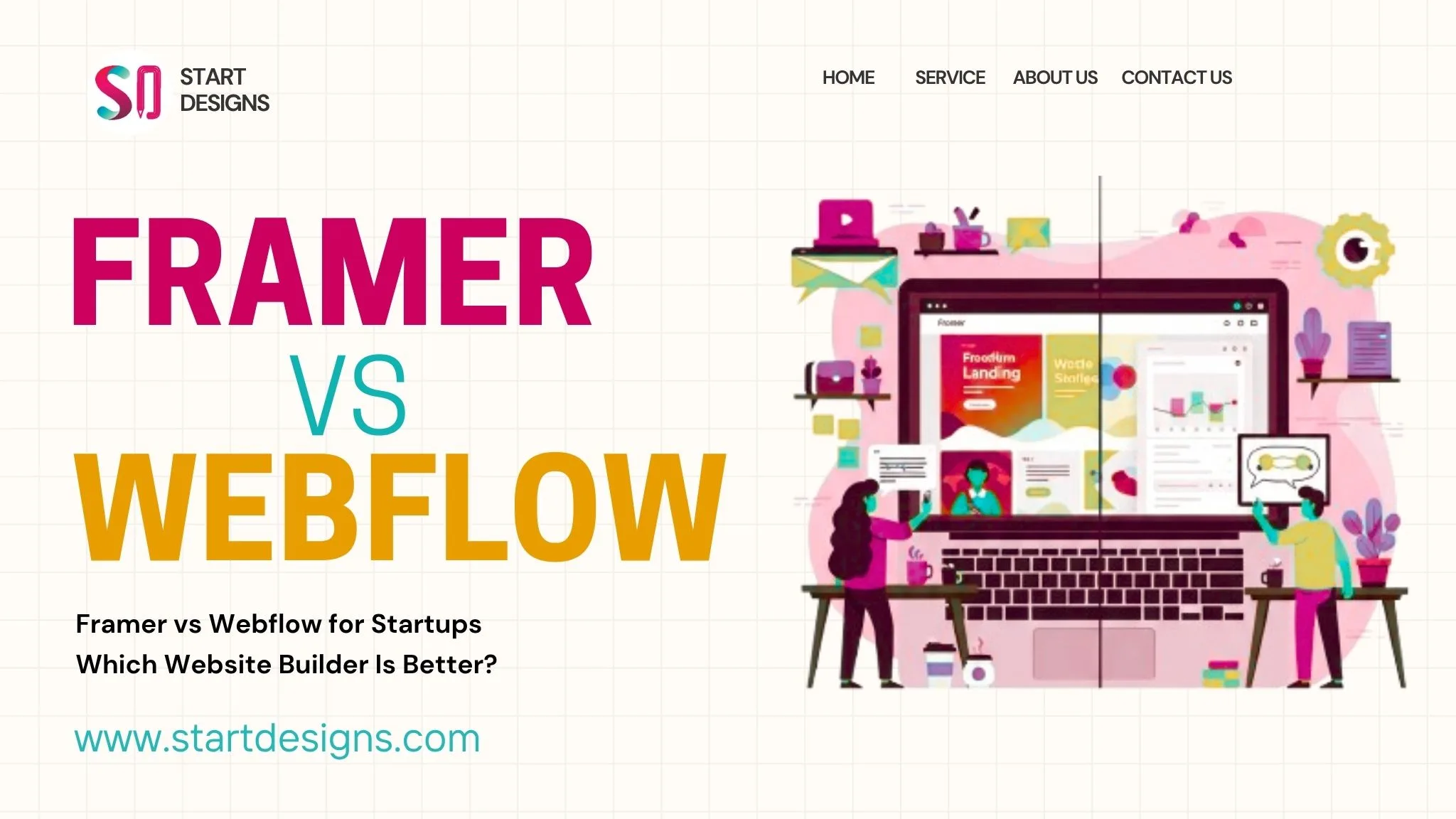
Is Webflow better than Framer?
Webflow may be stronger for larger marketing websites and connected CMS structures. Framer can be a better fit for fast, design-led landing pages, portfolios and lighter marketing websites.
How much does Webflow cost?
The total cost can include the Site plan, Workspace access, strategy, design, development, CMS architecture, migration, integrations, SEO, testing and ongoing support. The platform subscription is only one part of the full cost.
Do I need a Webflow expert?
Expert support can be useful when a project includes custom design, connected CMS relationships, migration, integrations, advanced interactions or formal launch testing.
Final Verdict
Webflow is a strong platform for businesses that need a custom, responsive and manageable marketing website without relying on a traditional plugin-heavy setup.
Its main strengths are visual design control, reusable systems, structured CMS content and managed publishing.
It is less suitable for complex applications, advanced customer portals and operations-heavy ecommerce.
The best results come when Webflow is selected for the right reasons and supported by clear content architecture, responsive planning and quality assurance.
The most useful question is not simply whether Webflow is a good website builder.
It is whether Webflow matches how the organisation needs to publish content, generate enquiries and manage its website after launch.
Planning a Professional Webflow Website?
Share your website goals, CMS requirements, integrations and migration needs with StartDesigns.
Our team can help you plan, design and develop a responsive Webflow website built around your content, users and business requirements.
About the author


Popular Posts
How to Write a Website Development RFP: Complete Guide & Checklist
September 19, 2026- 14 Min Read
Landing Page Conversion Audit: Find Why Visitors Aren’t Taking Action
September 17, 2026- 8 Min Read