

- About us
-
Services
- Back
- Development Services
-

-
-
-
- Designing Services
-
-
-
-
- Marketing Services
-
-
-
-
- Cloud Engineering Services
-
-
-
- ERP
-
-
-
- CRM
-
-
-
- Artificial Intelligence
-

-
-
-
- MVP
-
- Open Source Business
-
- Industry
- Portfolio
- Career
- Contact us
-
 info[at]startdesigns.com









Most businesses do not begin with a plan to build custom software. They start with a website template, a collection of plugins, or several separate tools that solve individual problems.
That setup may work for a while. Then the limitations become harder to ignore. Employees copy information between systems. Customers cannot complete important tasks online. A standard checkout cannot support the company’s sales process. Reporting depends on spreadsheets. A growing website becomes difficult to manage or scale.
Custom web development addresses those problems by shaping the website or application around the business instead of forcing the business to work around a platform.
This guide explains what custom web development is, when it makes sense, what businesses can build, and how a custom project moves from discovery to launch.
What Is Custom Web Development?
Custom web development is the process of creating a website or browser-based application around a business’s specific users, workflows, integrations, and technical requirements.
Instead of depending entirely on a pre-built theme or a fixed set of features, the development team plans the experience and functionality around the problem the business needs to solve.
A custom solution can include:
- Customer, employee, vendor, or partner accounts
- Different permissions for different user roles
- Business-specific forms and approval workflows
- Dashboards and reporting tools
- Custom pricing, subscriptions, or payment logic
- CRM, ERP, inventory, and accounting integrations
- Automated notifications
- Advanced search and filtering
- Administrative tools
- Data import, export, and migration features
The word “custom” does not mean that every component must be created from zero. A project may use WordPress, Shopify, an established application framework, a cloud platform, or third-party services.
The customization comes from how those technologies are selected, configured, and connected to support the business.
At a technical level, most modern websites and web applications follow a client-server model. The browser requests information, while server-side code processes the request, applies business rules, communicates with databases or other services, and returns a response. (MDN Web Docs)
The goal is not to build something complicated. It is to create a solution that removes friction, supports the intended users, and can be maintained as the business grows.
Custom Website, Web Application, or Template: What Is the Difference?
These terms are often used interchangeably, but they describe different types of digital products.
| Solution | Primary purpose | Typical example |
|---|---|---|
| Custom website | Marketing, content, and lead generation | Corporate or B2B website |
| Custom web application | Tasks, data, and business workflows | Customer portal or SaaS dashboard |
| Template website | Fast launch with standard functionality | Theme-based WordPress site |
| Website builder | Simple visual website creation | Small business or portfolio site |
| Off-the-shelf software | Ready-made functionality shared by many companies | CRM, booking, or project-management platform |
Custom website
A custom website is usually designed to communicate a company’s value, support its sales process, and generate inquiries.
It may include unique layouts, industry-specific content, interactive tools, custom forms, multilingual pages, advanced content relationships, or integrations with marketing and sales platforms.
Its main job is generally to attract, educate, and convert visitors.
Custom web application
A web application allows users to perform tasks through a browser.
Examples include:
- Managing an account
- Placing or approving orders
- Booking appointments
- Viewing reports
- Uploading documents
- Tracking a project
- Managing a subscription
Web applications typically require more backend logic because they process data and present different information based on the user’s identity, role, or activity.
Template website
A template provides a ready-made design and a standard set of features. It can be the right choice for a business that needs a straightforward website without unusual functionality.
The trade-off is that the business must operate within the limits of the theme, plugins, and platform.
Those limits may not matter for a simple site, but they can become expensive when several workarounds are needed to support a unique process.
When Does a Business Need a Tailored Web Solution?
Custom development should solve a real constraint. It should not be selected simply because it sounds more advanced.
The following situations often justify a tailored solution.
Manual work is slowing the team down
Employees may be moving information between emails, spreadsheets, forms, and software platforms.
A custom web application can connect those steps. For example, a customer request could create a CRM record, notify the correct employee, trigger an approval task, and display the current status in an internal dashboard.
The value comes from reducing duplicate work and making the process easier to track.
Different users need different experiences
A platform may serve customers, employees, vendors, managers, and administrators.
Each group may need its own:
- Dashboard
- Documents
- Pricing
- Permissions
- Reports
- Available actions
Standard website tools can become difficult to manage when user roles and access rules are complex.
Existing systems do not work together
Many businesses use separate systems for sales, inventory, accounting, marketing, and customer support.
Custom integrations can allow approved information to move between those systems, reducing repeated data entry and helping teams work from more consistent records.
The sales process is not standard
A basic online checkout works well for straightforward purchases. It may not support:
- Customer-specific pricing
- Quote requests
- Bulk orders
- Purchase orders
- Product configuration
- Manager approval
- Recurring billing
- Complex fulfillment rules
When the sales model is part of the company’s competitive advantage, the website may need to reflect that model.
Customers need secure self-service
A customer portal can allow users to access documents, track orders, manage subscriptions, submit requests, or review project progress without contacting the business for every update.
Done well, self-service improves convenience for customers and reduces repetitive administrative work for the team.
The website is part of the product
For a SaaS company, marketplace, booking platform, or membership business, the website is not only a marketing channel. The functionality delivered through the browser is the product.
In that situation, architecture, reliability, security, and long-term maintainability become central business decisions.
When a Standard Platform May Be the Better Choice
Not every company needs custom website development.
A template, managed content management system, or website builder may be more practical when:
- The site only needs a few informational pages
- Standard forms meet the business requirements
- The product idea has not yet been validated
- The project has a limited budget
- The website is temporary
- The launch deadline is very short
- A reliable platform already offers the required features
Choosing a simpler platform is not a lack of ambition. It is often a sound product decision.
The useful question is not, “Is custom development better?”
The better question is:
Do our requirements create enough value to justify custom design, engineering, testing, and maintenance?
Common Custom Website and Web App Examples
Custom solutions can support both customer-facing experiences and internal operations.
Customer portals
A customer portal gives users secure access to information and services related to their account.
Depending on the business, customers may be able to:
- View orders and invoices
- Upload or download documents
- Track a project
- Manage account details
- Submit support requests
- Renew a subscription
- Access private resources
- Review account-specific pricing
The portal can connect with existing business systems so customers see current information without the team maintaining separate records.
Internal operations platforms
Internal applications help employees manage work that would otherwise be spread across emails, spreadsheets, and disconnected tools.
Examples include:
- Approval workflows
- Inventory tools
- Staff dashboards
- Scheduling systems
- Document-management platforms
- Project-tracking tools
- Quality-control systems
A good internal application should simplify the process. Recreating an inefficient workflow on a screen does not make it efficient.
SaaS platforms
Software-as-a-Service products deliver functionality through a browser, usually through a subscription model.
A SaaS product may need:
- Account creation
- User onboarding
- Subscription billing
- Role-based access
- Usage limits
- Notifications
- Reporting
- Administrative controls
The first version should focus on the product’s core value. Trying to launch every possible feature at once often delays real customer feedback.
B2B e-commerce portals
Business-to-business transactions often involve rules that consumer stores do not need.
A custom B2B platform may support:
- Contract or customer-specific pricing
- Bulk-order entry
- Sales representative accounts
- Purchase-order payments
- Credit limits
- Approval workflows
- Reordering
- ERP or inventory integrations
Online marketplaces
A marketplace connects customers with multiple sellers or service providers.
Common features include:
- Seller onboarding
- Product or service listings
- Search and filtering
- Reviews
- Commission management
- Payments
- Order management
- Dispute handling
- Administrative moderation
Marketplace projects require careful planning because the platform must serve several user groups with different goals.
Booking and scheduling systems
Custom booking systems can account for:
- Staff availability
- Multiple locations
- Service duration
- Equipment availability
- Deposits
- Cancellations
- Recurring appointments
- Automatic reminders
They are useful when a standard calendar tool cannot represent the actual scheduling rules.
Reporting dashboards
A custom dashboard can combine information from several systems and present it for a specific role or decision.
Instead of giving every employee access to every data source, the dashboard can show the metrics, alerts, and actions that matter to that team.
How the Development Process Works
Every project is different, but a disciplined custom web development process usually follows seven stages.
1. Discovery and problem definition
The project should begin with the business problem, not a preferred framework or a list of screens.
The team needs to understand:
- Who will use the product?
- What are they trying to accomplish?
- How is the work handled today?
- Where do delays, errors, or unnecessary steps occur?
- Which systems must remain in place?
- What result should improve after launch?
Clear answers make the project easier to scope and evaluate.
2. Requirements and prioritization
The next step is to document what the product must do.
Features can be organized into four groups:
- Required for launch
- Valuable but not essential
- Appropriate for a later phase
- Not currently justified
This exercise prevents the first release from becoming overloaded.
For a new product, a minimum viable product can be useful. An MVP should still solve a meaningful problem. It is a focused first version, not an excuse for poor quality.
3. User experience and prototyping
Before visual design and coding begin, the team should map how users move through the product.
This work can include:
- User journeys
- Sitemap
- Navigation
- Wireframes
- Form flows
- Permission rules
- Interactive prototypes
Testing important workflows at this stage can expose missing steps and unclear decisions before they become expensive to change.
Accessibility should also be considered early. The Web Content Accessibility Guidelines provide an international standard for making websites and applications more accessible to people with disabilities. (W3C)
4. Technical architecture
The technical architecture defines how the interface, business logic, data, and external systems will work together.
Decisions may include:
- Frontend and backend technologies
- Database structure
- Content management
- Authentication
- User permissions
- APIs and third-party integrations
- Hosting and deployment
- Backups and recovery
- Logging and monitoring
- Security controls
The most suitable architecture is not necessarily the newest or most complex.
It should meet the requirements and remain understandable to the team responsible for maintaining it.
5. Design and development
Once the key workflows and architecture are agreed upon, the product moves into visual design and development.
Designers create the interface, components, responsive layouts, and interaction patterns.
Developers then build the frontend, backend, database functions, integrations, and administration tools.
Breaking the work into smaller releases makes it easier to review progress and find issues early.
6. Testing and launch preparation
Testing should cover more than whether a page opens or a button works.
A serious testing plan may include:
- Functional testing
- Permission and authentication testing
- Browser and device testing
- Responsive behavior
- Form validation
- Integration testing
- Performance testing
- Accessibility testing
- Security testing
- User-acceptance testing
OWASP’s Web Security Testing Guide provides a structured resource for evaluating the security of web applications and web services. (OWASP Foundation)
Performance should also be measured from the user’s perspective. Core Web Vitals focus on loading experience, visual stability, and responsiveness to user input. (web.dev)
Launch preparation may also include:
- Domain and SSL configuration
- Analytics and conversion tracking
- Redirects
- Search engine accessibility
- XML sitemap review
- Backup configuration
- Error monitoring
7. Maintenance and improvement
A custom platform is not finished on launch day.
Browsers change. Dependencies need updates. Users reveal friction that was not obvious during planning. Business processes evolve.
Ongoing work may include:
- Bug fixes
- Security updates
- Performance monitoring
- Content changes
- Browser-compatibility checks
- Infrastructure management
- New features
A maintenance plan should define who is responsible, how issues are prioritized, and what response times the business can expect.
How Is the Technology Stack Chosen?
Businesses often ask whether they should use WordPress, Shopify, React, Next.js, Node.js, Laravel, Django, .NET, or another technology.
There is no universal answer.
The right technology stack depends on:
- Required functionality
- Existing business systems
- Content-management needs
- Expected usage and traffic
- Data and security requirements
- Available development expertise
- Third-party integrations
- Hosting preferences
- Long-term maintenance
- Budget
- Delivery timeline
A content-heavy business website may benefit from a flexible CMS.
A real-time dashboard or subscription product may require a different frontend and backend architecture.
A company already using Microsoft systems may have different integration priorities from a startup building a new SaaS platform.
Technology should follow the product requirements, not the trend cycle.
How Long Does a Custom Project Take?
The timeline depends on the number of workflows, design complexity, integrations, feedback speed, content readiness, and testing requirements.
The following ranges can be used for initial planning:
| Project type | General planning range |
|---|---|
| Custom marketing website | 6–12 weeks |
| Customer portal MVP | 12–20 weeks |
| Custom e-commerce platform | 4–7 months |
| SaaS MVP | 4–8 months |
| Enterprise web platform | 6–12+ months |
These ranges are not fixed quotations. A documented scope is needed before a reliable schedule can be created.
Projects commonly take longer when:
- Requirements change frequently
- Stakeholders delay approvals
- Integrations are poorly documented
- Content is not ready
- Data must be cleaned or migrated
- Security or compliance reviews are extensive
What Affects Project Cost?
Project cost is mainly determined by the amount of strategy, design, engineering, integration, and testing required.
Important cost factors include:
- Number of user types
- Feature and workflow complexity
- Custom UX and UI design
- Third-party integrations
- Data migration
- Payment processing
- Administrative tools
- Security and compliance requirements
- Reporting
- Hosting infrastructure
- Testing depth
- Post-launch support
A small custom website and a multi-user business application should not be budgeted in the same way.
Start Designs already has a detailed website-development-cost guide with pricing ranges for different project categories, including custom web applications. This section should link to that guide rather than repeat the complete pricing discussion and compete for the same search intent. (Start Designs)
Recommended internal-link anchor:
website development cost
Common Mistakes to Avoid
Starting with features instead of the problem
A long feature list does not explain what the product is supposed to improve.
Start with the users, the current workflow, and the outcome the business wants.
Building too much in the first release
Trying to launch every possible feature increases cost and delays feedback.
A focused first release makes it easier to test the core idea and prioritize future work with evidence.
Ignoring internal users
Customer-facing screens often receive most of the attention.
Administrative workflows, reporting, content management, and support tools are equally important to the long-term success of the platform.
Choosing technology because it is popular
A well-known framework is not automatically the right framework.
The technology must fit the product, integrations, available team, and maintenance plan.
Treating launch as the finish line
Security, compatibility, performance, and business requirements continue to change.
Maintenance should be part of the original plan and budget.
A Real Project Example: Goodman Lantern
Goodman Lantern is a global B2B content marketing agency with a broad service offering across content strategy, SEO, AI search visibility, video, design, communications, and demand generation.
The challenge was not a lack of content. It was helping serious business buyers understand a large service ecosystem without making the website feel overwhelming.
Start Designs designed and developed a responsive WordPress website that organized Goodman Lantern’s services, industries, case studies, resources, and inquiry paths into a clearer buyer journey. (Start Designs)
The project included:
- WordPress website design and development
- B2B website strategy
- Service architecture
- Industry-led navigation
- Responsive layouts
- Trust and authority sections
- Case-study and resource presentation
- Conversion-focused calls to action
Goodman Lantern’s services were grouped into focused paths, making it easier for visitors to find relevant support.
Industry pages helped buyers in SaaS, technology, finance, healthcare, education, and manufacturing explore the agency’s experience in their market. (Start Designs)
Proof was also built into the journey. Testimonials, client evidence, case studies, resources, and calls to action were positioned where buyers could use them to evaluate the agency before making an inquiry. (Start Designs)
This project demonstrates an important point: a custom solution does not always mean creating a proprietary platform from scratch.
WordPress provided the content-management foundation, but the information architecture, service structure, industry navigation, page flow, responsive experience, and conversion journey were tailored to Goodman Lantern’s business.
The result was a clearer digital presence that made a complex B2B offering easier to understand, trust, and act on. (Start Designs)
Recommended internal-link anchor:
View the complete Goodman Lantern case study
How to Choose the Right Development Partner
A capable partner should be able to discuss the business problem as clearly as the technology.
Evaluate potential teams based on:
- Relevant project experience
- Understanding of your users and workflows
- Product and UX planning
- Technical capabilities
- Testing and security practices
- Communication and project management
- Documentation
- Source-code and account ownership
- Post-launch support
Ask what is included, what is excluded, and how changes to the original scope will be handled.
Start Designs already has a detailed guide containing questions businesses should ask before hiring a web-development company. The new article should link to it rather than repeat the complete hiring checklist. (Start Designs)
Recommended internal-link anchor:
questions to ask before hiring a web development company
Frequently Asked Questions
What is custom web development?
Custom web development is the process of building a website or browser-based application around a business’s specific users, workflows, integrations, and technical requirements rather than relying entirely on a standard template.
What is the difference between a custom website and a web application?
A custom website primarily presents content and supports marketing or lead generation.
A web application allows users to perform tasks, manage information, and interact with business processes through a browser.
Is WordPress considered custom web development?
It can be.
Installing a ready-made theme is mainly template-based development. A WordPress project becomes more customized when it uses a unique design, tailored content structures, custom functionality, integrations, and workflows created for the business.
Is custom development always better than a website builder?
No.
A website builder may be a better choice for a simple website with standard requirements, a short timeline, and a limited budget.
Custom development becomes valuable when the business needs functionality or integrations that the builder cannot support effectively.
Can a custom website integrate with a CRM or ERP?
Yes, when the external system offers a suitable API or another approved integration method.
The complexity depends on the systems involved, the data being exchanged, and whether information must synchronize in real time.
Who owns the source code?
Ownership depends on the contract.
The agreement should clearly address:
- Source code
- Design files
- Hosting accounts
- Third-party licenses
- Documentation
- Access credentials
These terms should be confirmed before development begins.
Is custom web development more secure?
Custom development provides more control over security decisions, but it is not automatically more secure.
Security depends on architecture, coding practices, authentication, access controls, testing, infrastructure, updates, and monitoring.
Does a custom platform require ongoing maintenance?
Yes.
Maintenance may include security updates, dependency updates, backups, monitoring, bug fixes, performance work, browser-compatibility checks, and new functionality.
Can an existing website be converted into a web application?
Sometimes.
The existing website must first be reviewed to determine which content, data, design elements, and technical components can be retained.
In other cases, rebuilding on a more suitable architecture is more efficient.
Conclusion
A tailored web solution is most valuable when a business has a genuine requirement that standard software cannot meet efficiently.
That requirement may be a unique customer journey, a complex ordering process, an internal workflow, a secure portal, or an integration between important business systems.
The process should begin with the problem, not the technology.
Clear requirements, disciplined prioritization, thoughtful user experience, suitable architecture, thorough testing, and ongoing maintenance all influence the result.
A custom platform should not make the business more complicated. It should remove friction, improve access to information, and make important work easier for customers and employees.
If standard platforms cannot support the way your business needs to operate, Start Designs can help you define the requirements, select the right approach, and create a practical roadmap for your website or web application.
About the author


Popular Posts
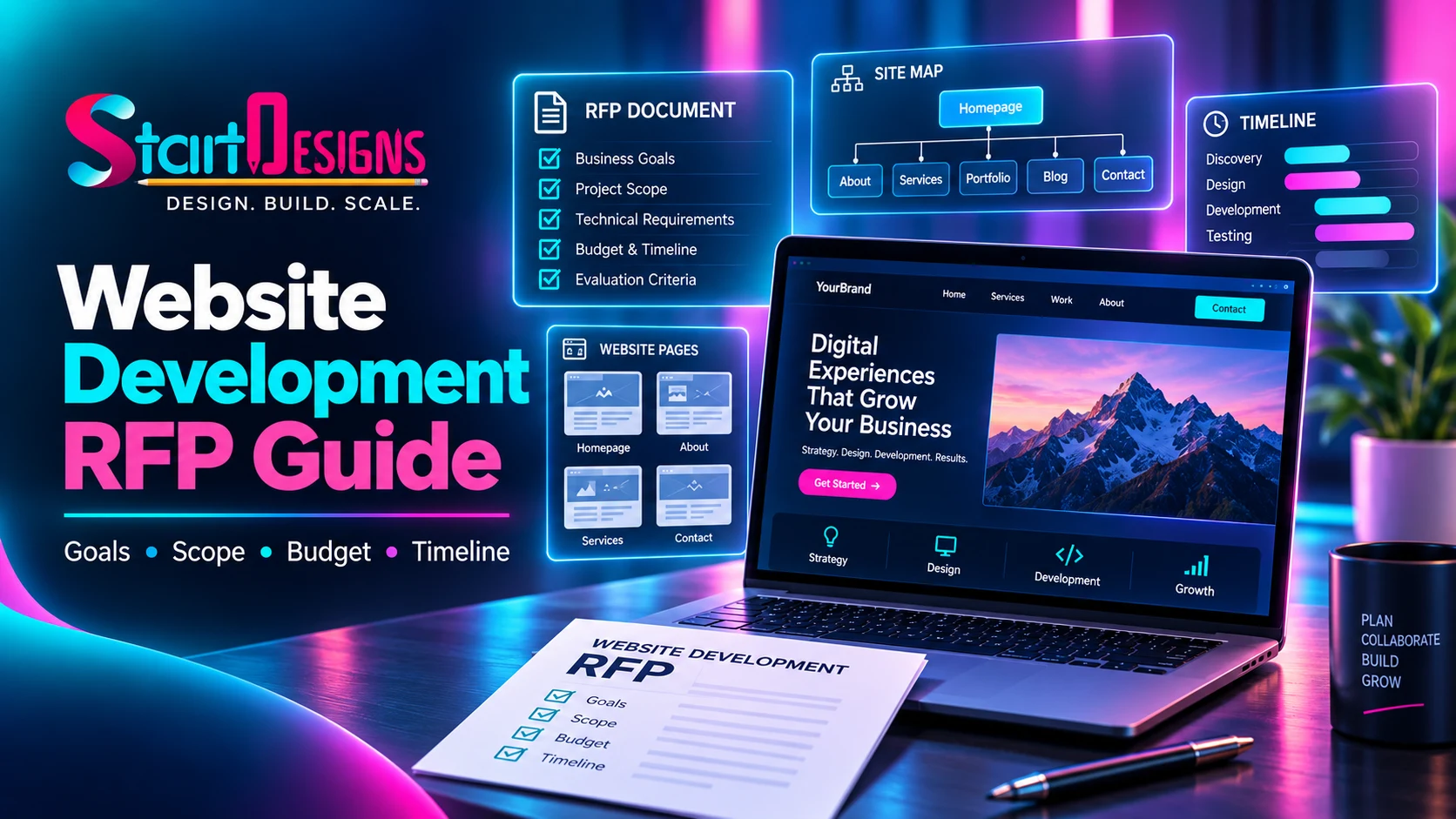
How to Write a Website Development RFP: Complete Guide & Checklist
September 19, 2026- 14 Min Read